
Okuma App Store:
The Power is in Your Hands

ABB Robot Studio
Robot Studio incorporates the ABB IRC5 robot controller software. Unlike other robot simulators, real RAPID robot programs are executed on real robot controllers. You can trust that what you see in the virtual world is what will happen on the shop floor.
RobotStudio Machine Tending PowerPac (MTPP) is an add-in for RobotStudio. MTPP provides a platform for quick, easy creation, and editing of machine tending robot cells in a 3D virtual environment. The cells are designed to work together with RobotWare Machine Tending. Since MTPP has a library of common grippers and station types, and built-in support for most machines and peripheral equipments, getting a cell up and running in the virtual environment is easy. In addition, safety is simplified with the capability to define safe home position movements in a virtual environment.
Some of the features of Machine Tending PowerPac are:
- Define and configure parts and grippers.
- Define and configure stations and robot movements.
- Define HomeRun strategy.
- Define simulation, validate, and optimize cycles.
Updated: 01/23/2015
Size: 1.6 GB
Functionality: Automation
Certification: Certified in Queue
COMPATIBILITY
CPU: 2.0GHz or faster processor, multiple cores recommended
Memory: 3 GB if running Windows 32-bit edition 8 GB if running Windows 64 bit edition
Disk: 10+ GB free space, solid state drive (SSD) recommended
Graphics: 1920 x 1080 pixels or higher resolution is recommended
ABOUT THE DEVELOPER
- Company: ABB Robotics
- Phone: 1 800-435-7365
- Email: softwarefactory_support@se.abb.com
![AutoComp [DEMO] logo](/images/generic/CEI-AutoComp.png)
AutoComp [DEMO]
Eliminates Operator Data-Entry Errors
Any gauging device can provide dimensional measurements. AutoComp calculates the necessary tooling adjustments. Parts may be measured on any type of gauging equipment such as CMMs, Digital Tooling, Gauge Fixtures with LVDTs, Laser Micrometers, Vision Systems and Wireless Gauge Devices. Don’t see your device? Caron Engineering can write drivers to retrieve data from nearly any type/brand of electronic measuring equipment.
AutoComp statistically controls your tool offsets to maintain acceptable tolerances of your machined parts by calculating tool compensation based upon tolerance limits and tool compensation limits using a running average.
Updated: 07-11-2014
Size: 13 MB
Functionality: Measurement/Gauging
Certification: Certified in Queue
COMPATIBILITY
- The AutoComp system requires Windows XP or Windows 7 running on a PC.
- For Okuma P control systems, AutoComp can be installed directly on the control’s PC.
- Works with all machine models.
- THINC API version 1.12 and higher required.
- .NET Framework 2.0 and higher required
The Okuma SCOUT app can also be used to determine your machine's compatibility.
ABOUT THE DEVELOPER
- Company: Caron Engineering
- Phone: 207-646-6071
- Email: marketing@caroneng.com
Blum Easy Results
Designed for use in conjunction with gauging software, this program provides "Easy Results" in the form of pass/fail feedback on the values of common variables.
The Blum Easy Results app allows you to create a list of common variables that can be monitored. When any of the monitored common variables change, a popup appears on the screen to alert the operator. Limits can be set and the data can be exported.
Updated: 07/30/2014
Size: 92,797 KB
Functionality: Measurement/Gauging
Certification: Certified in Queue
COMPATIBILITY
Prerequisites: P200, P200A or P300 THINC API V1.9.1 .Net Framework Version 4.0
ABOUT THE DEVELOPER
- Company: BLUM-Novotest, GmbH
- Phone: 49 (0) 751 6008-0
- Email: app@blum-novotest.com

BLUM measureXpert
The BLUM measureXpert app makes it quick and easy to generate cycle calls for BLUM measuring systems within your Okuma control. The software supports the use of BLUM cycles for laser measuring systems, workpiece touch probes, and tool setting probes.
Become a measureXpert!
Using the BLUM measureXpert app makes it quick and easy to generate cycle calls for BLUM measuring systems within your Okuma control. With this application, the Okuma user is guided step-by-step from the measuring task to the correct cycle call. It has never been easier to use BLUM measuring systems.
By using measureXpert, you can generate cycle calls quick and easy for:
- Laser measuring systems
- Workpiece touch probes
- Tool-setting probes
The generated the NC macro calls can be sent to the controls MDI Buffer or copied in your custom macro. The generated cycle calls can only be used with BLUM measuring products together with BLUM NC measurement cycles with any controls available in the app.
Updated: 02/28/2023
Size: 45,512 KB
Functionality: Automation, Measurement/Gauging, Security
Certification: Not Certified
COMPATIBILITY
In order to install this app on a machine, it must meet these requirements:
- Operating Systems:
Windows 7 32-bit, Win 7 32-bit SP1, Win 10 32-bit - API Version:
THINC API Version 1.17.2.0 or later - .NET Versions:
.NET Framework Version 4.0 Full - OSP Control Types (R type supported):
P300, P300A - Machine Types:
Machining Center, NC-Master Machining Center, PC NC-Master Machining Center, Lathe, NC-Master Lathe, PC NC-Master Lathe - Required License Features:
None
ABOUT THE DEVELOPER
- Company: Blum-Novotest, GmbH
- Phone: 49 (0) 751 6008-0
- Email: app@blum-novotest.com
CEI Okuma BarCode
The application will write scanned numeric data to a user-selected CommonVariable as defined by the application configuration.
This app resides in the tray and monitors the specified RS232 for input from the Barcode reader. When a barcode with a numerical value is read, it automatically sets the specified user task variable. This value can be used for a wide variety of program control and value changes.
Updated: 09/01/2014
Size: 2,440 KB
Certification: Certified in Queue
COMPATIBILITY
Minimum THINC API Version Required: 1.9.1
Compatible Machine Platforms: P200L, P200M, P300L, P300M, P300S
Required .NET version: .NET 2.0
ABOUT THE DEVELOPER
- Company: Caron Engineering
- Phone: 207-646-6071
- Email: marketing@caroneng.com
Connect Plan lite
Have you ever wondered what your machine is up to while you're away? Connect Plan lite is a user-friendly interface that provides that information right on your machine's control. You can view operating history and production rates in visual graph format. You can see alarm history with live links to alarm details. You can view just about anything you might find using the "MacMan" function with an easy-to-read display!
This is the stand-alone (non-networked), single-machine version of Okuma's flagship Connect Plan product. It has only a small number of the features that are included in the full version. To learn more, please reach out to your local Okuma representative and let them know you're interested in Connect Plan.
Okuma’s Connect Plan is a system that provides analytics for improved utilization by connecting machine tools and visual control of factory operation results and machining records. Simply connect the OSP and a PC and install the Factory Monitor suite on the PC to see the machine operation status from the shop floor, from an office or from anywhere.
Okuma’s Connect Plan is an ideal solution for customers trying to improve their machine utilization.
Updated: 10/18/2021
Size: 5,211 KB
Functionality: IIoT
Certification: Okuma Certified
COMPATIBILITY
In order to install this app on a machine, it must meet these requirements:
- Operating Systems:
Windows XP 32-bit SP3 or later (Windows 7, 8, 10 are supported) - API Version:
THINC API Version 1.18.0 or later on lathes | 1.19 or later on machining centers - .NET Versions:
.NET Framework Version 4.0 Full or later - OSP Control Types (R type supported):
P100 II or later - Machine Types:
Machining Center, NC-Master Machining Center, PC NC-Master Machining Center, Lathe, NC-Master Lathe, PC NC-Master Lathe - Required License Features:
None
ABOUT THE DEVELOPER
- Company: Okuma America Corporation
- Phone: 704-588-7000
- Email: api@okuma.com

dataZen MIRA LITE
Built on scalable technology, MIRA LITE automatically collects and monitors Machine Operational Status, Alarms, Utilization, Parts Produced and Availability from the control at the machine level.
Designed for small-to-medium-sized shops where a dedicated machine tool network is either impractical or too costly, MIRA LITE delivers measurable efficiency and productivity in an easy-to-use, affordable, stand-alone package.
Updated: 05/24/2016
Size: 99,610 KB
Functionality: Measurement/Gauging
Certification: Okuma Certified
COMPATIBILITY
- Operating Systems:
Win XP 32-bit SP3, Win 7 32-bit
Other operating systems untested, but may be compatible
- THINC API Versions:
1.15.0 or later
- Dot NET Versions:
4.0 Full (included) or later
- OSP Control Types:
P200, P300, P300S
- Machine Types:
Any (PC not supported)
- Required License Features:
NC Current Alarm
- Other Required Item(s):
THINC Startup Service (included)
ABOUT THE DEVELOPER
- Company: dataZen Engineering
- Phone: 919-526-1018
- Email: dataZen@dataZenEngineering.com
dataZen P-KEYBOARD
Use P-Keyboard from remote locations or when direct access to the P-Control isn’t possible or practical. P-Keyboard also speeds up switching between P-Control screens. It can be deployed as a standalone application or as a “companion” app alongside other dataZen applications.
P-Keyboard includes a complete, on-screen QWERTY Keyboard, Numeric Keypad, and Panel Mode Select feature, which helps simplify typing and command entry. Shortcut keys are provided to speed up operator inputs and improve efficiency.
Updated: 11/25/2014
Size: 79000 KB
Certification: Okuma Certified
COMPATIBILITY
.NET version.NET 4.0 SP1
THINC API: v1.9.1 or greater
Control Type P-200 / P-300 Control
ABOUT THE DEVELOPER
- Company: dataZen Engineering
- Phone: 919-526-1018
- Email: dataZen@dataZenEngineering.com
dataZen P-SCANNER
dataZen Engineering’s P-SCANNER provides an Okuma P200 or P300 control user with the ability to scan a barcode and have the associated part program automatically retrieved from the control or from a remote network location – ready to run.
P-SCANNER delivers measurable operational efficiency:
- Reduces chance of operator error using scanning technology rather than manual, keyboard entry
- Saves time to program-select .MIN files into the control, ready for Cycle Start
- Calling an associated setup instruction file on-the-fly
Updated: 04/12/2016
Size: 120,637 KB
Certification: Okuma Certified
COMPATIBILITY
- Operating Systems: Win XP 32-bit SP3, Win 7 32-bit SP1 (Other operating systems untested but may be compatible.)
- API Versions: 1.15.0 or later
- Dot NET Versions: 4.0 or later
- OSP Control Types: (R type supported): P100 Type II, P200, P300
- Machine Types: Any, except for PC
- Required License Features: None
- Other Required Item: Barcode scanner
ABOUT THE DEVELOPER
- Company: dataZen Engineering
- Phone: 919-526-1018
- Email: dataZen@dataZenEngineering.com

EZ UI
This small AutoHotKey utility adds four keyboard shortcuts to OSP or any Windows® computer. Functions include Right-Click, Pull Window Back To Screen, and Get IP address.
Unless your Okuma has an OSP-P 300A controller (or later) with multi-touch touchscreen and gesture support, performing a right-click with the touchscreen is not so straightforward. With EZ UI, just hold the Control [Ctrl] and Shift keys and tap to access right-click menus.
Getting your Okuma connected to the network or setting up MT Connect? EZ UI can reveal a machine's IP address in a flash.
On rare occasions, an application window might seem to disappear. EZ UI can move them front and center.
Certification: Okuma Certified
COMPATIBILITY
EZ UI is compatible with anything that runs Windows®
ABOUT THE DEVELOPER
- Company: Okuma America Corporation
- Phone: 704-588-7000
- Email: api@okuma.com

Fat Finger Prevent
Fat Finger Prevent eliminates the possibility of accidentally moving important files or folders. By prompting the user for confirmation before any move operation, costly downtime can be prevented.
Fat Finger Prevent was created in response to real-world Okuma user experiences. Using Windows© Explorer with a touch screen can be frustrating. The small icons can be hard to accurately manipulate and the chances of doing something unintended are high. Moving the wrong file or folder can result in costly machine downtime. Don't let that happen to you! Set up Fat Finger Prevent on all of your Okuma P-series controls today and rest easy.
Updated: 05/25/2017
Size: 55,581 KB
Functionality: Security
Certification: Okuma Certified
COMPATIBILITY
In order to install this app on a machine, it must meet these requirements:
- Operating Systems: Win XP 32-bit SP3, Win 7 32-bit, Win 7 32-bit SP1, Win 7 64-bit, Win 7 64-bit SP1 (Other operating system versions untested but may be compatible.)
- .NET Versions: 4.0 Full or later (other versions may be compatible
- OSP Control Types (R type supported): Maybe P200, 200A, P300, P300S
- Machine Types: Will run on any machine type, including PC
- Required License Features: N/A
ABOUT THE DEVELOPER
- Company: Okuma America Corporation
- Phone: 704-588-7000
- Email: api@okuma.com

GO.MacroIF
The GO.MacroIF software allows for an easy user interface between the common variable table on the machine and the machine operator. Password-protected configuration allows variables to be mapped to input boxes. The type of data that goes into the input boxes can be customized.
The GO.MacroIF software allows for an easy user interface between the common variable table on the machine and a machine operator. Password protected configuration allows variables to be mapped to input boxes. The type of data that goes into the input boxes can be customized.
Updated: 07/15/2016
Size: 54,709 KB
Certification: Okuma Certified
COMPATIBILITY
In order to install this app on a machine, it must meet these requirements:
- Operating Systems: Win XP 32-bit SP3, Win XP 64-bit SP2, Win 7 32-bit, Win 7 32-bit SP1, Win 7 64-bit, Win 7 64-bit SP1
Other operating systems untested but may be compatible. - API Version: 1.9.1 or later
- .NET Versions: 4.0 Full and later
- OSP Control Types (R type supported): P200, P200A, P300, P300S
- Machine Types: Lathe, NC-Master Lathe, PC NC-Master Lathe, Machining Center, NC-Master Machining Center, PC NC-Master Machining Center
- Required License Features: None
ABOUT THE DEVELOPER
- Company: Gosiger
- Phone: 877-288-1538
- Email: mike.williams@gosiger.com

GO.PanelMode
The GO.PanelMode is a simple and unobtrusive interface for changing screens on an Okuma machine tool.
While remotely monitoring the machine with tools like VNC or TeamViewer, it is sometimes necessary to switch between the different views. GO.PanelMode gives you the option to switch between Operation, Parameters, Edit, Tool and Work Zero(P200 Only).
Updated: 06/16/17
Size: 56,985
Functionality: Automation
Certification: Okuma Certified
COMPATIBILITY
In order to install this app on a machine, it must meet these requirements:
- Operating Systems:
Windows XP 32-bit SP3, Windows 7 SP1, and Windows 10
Other operating systems untested but may be compatible. - API Version:
1.12.1 or later - .NET Versions:
4.0 Full and later (other versions may be compatible) - OSP Control Types (R type supported):
P200, P200A, P300, P300S - Machine Types:
Machining Centers, Lathes, and NC-Master / PC NC-Master versions.
(PC and Griders not supported) - Required License Features:
None
ABOUT THE DEVELOPER
- Company: Gosiger
- Phone: 877-288-1538
- Email: mike.williams@gosiger.com

GO.Time
Keep track of time in your part programs for enhanced traceability and quality assurance.
By automatically setting common variables based on time of day, part programs can know under which operator shift they are being run. Additionally, it gives part programs on demand access to the date and time accurate in seconds. That allows for marking parts with the time they were made, or for the part program to calculate cycle time. If used in conjunction with other functions, such as the User Task 2 VDOUT command, alarms can be generated to get the operator to check tool life or inspect the first piece of their shift.
Updated: 06/14/2017
Size: 33,277 KB
Functionality: Automation
Certification: Okuma Certified
COMPATIBILITY
In order to install this app on a machine, it must meet these requirements:
- Operating Systems: Windows XP 32-bit SP3, Windows 7, Windows 8/8.1
Other operating systems untested but may be compatible. - API Version: 1.9.1.0 or later
- .NET Versions: 2.0 or later
- OSP Control Types: P200 or later
- Machine Types: Any machine type except PC (PC NC-Master is compatible)
- Required License Features: None
ABOUT THE DEVELOPER
- Company: Gosiger
- Phone: 877-288-1538
- Email: mike.williams@gosiger.com

GO.VariableExport
Export a range of common variables to an Excel spreadsheet.
Export a range of Common Variables to an Open XML spreadsheet. Open XML is the format used by products such as Microsoft Excel and Open Office Spreadsheets. Variable ranges can be sent to multiple sheets or workbooks. In the app, you specify the ranges of variables, name and path of the workbook, name of the sheet, starting cell, and variable for triggering the export.
Updated: 07/10/2018
Size: 88,824
Functionality: Measurement/Gauging
Certification: Okuma Certified
COMPATIBILITY
In order to install this app on a machine, it must meet these requirements:
- Operating Systems:
Windows XP 32-bit SP3, Windows 7, Windows 8 / 8.1
Other operating systems untested but may be compatible. - API Version:
THINC API Version 1.18.0 or later - .NET Versions:
.NET Framework Version 4.5.2 or later - OSP Control Types (R type supported):
P200A or later - Machine Types:
Any - Required License Features:
None
ABOUT THE DEVELOPER
- Company: Gosiger
- Phone: 877-288-1538
- Email: mike.williams@gosiger.com

GO.Weather Alert
GO.Weather Alert monitors the Dark Skies Weather API for current weather alerts issued by the National Weather Service and generates a warning message on the machine if an alert is detected.
GO.Weather Alert monitors the Dark Skies Weather API for current weather alerts issued by the National Weather Service and generates a warning message on the machine if an alert is detected.
Weather API provided by https://developer.forecast.io/.
Location information provided by http://ip-api.com/ and https://developers.google.com/maps/documentation/geolocation/intro.
Updated: 06/14/2017
Size: 129,605 KB
Functionality: Remote Alert
Certification: Okuma Certified
COMPATIBILITY
In order to install this app on a machine, it must meet these requirements:
- Operating Systems: Windows XP 32-bit SP3, Windows 7 32-bit, Windows 7 32-bit SP1
Other operating systems untested but may be compatible. - API Version: 1.17.1.0 or later
- .NET Versions: 4.0 full or later
- OSP Control Types (R Type Supported): P200 or later
- Optional License Features: (To generate machine alarm) User Alarm Option
ABOUT THE DEVELOPER
- Company: Gosiger
- Phone: 877-288-1538
- Email: mike.williams@gosiger.com
Kipware® CNC XChange
Kipware® CNC XChange can eliminate control incompatibility issues by auto-converting FANUC G-code to Okuma OSP G-code.
CNC XChange is a software application that can auto-convert G-code programs from FANUC format to Okuma OSP format and in reverse. Versions are available for 2-axis turning and 3-axis milling programs, with additional options for live tool turning, Y-axis, 4-axis and FANUC Macro-to-Okuma User Task G-code conversion.
Certification: Okuma Certified
COMPATIBILITY
Please visit the Kentech website for compatability information.
ABOUT THE DEVELOPER
- Company: Kentech Inc.
- Phone: 508-754-1198
- Email: kskonech@kentechinc.com

Kitagawa Digital Grip Force App
Easily measure static and dynamic workholding grip forces and plot charts showing the loss of grip force at any RPM. Discover the maximum RPM for a given workholding device and pressure, and obtain accurate grip force, which is critical to an effective process. Automatically modify part programs to bring spindle speed commands within limits.
Improper gripping force and parts slipping in the chuck reduces cycle times, productivity and profits, and causes safety issues. The Digital Grip Force Analyzer software and kit allows users to easily, accurately, and quickly measure and analyze the grip force performance of their CNC lathes and turning centers. The software can be run directly on an Okuma OSP-P series control, or via a desktop PC, laptop, or tablet. If gripping force issues exist, users can take proactive and corrective measures to identify and solve these problems. Every machine shop can benefit from this indispensable tool and should have at least one or two Kitagawa’s Digital Grip Force Analyzer software kits available for everyday testing, monitoring, and troubleshooting.
Updated: 04/02/2018
Size: OSP: 57,707 KB | Desktop: 62,124 KB
Functionality: Measurement/Gauging
Certification: Certified in Queue
COMPATIBILITY
OSP Version
- Operating Systems: Windows XP or later
- API Versions: 1.12.1 and later
- .NET Versions: .NET Framework Version 4.0 Full or later (included)
- OSP Control Types (R type supported): Lathe, NC-Master Lathe, PC NC-Master Lathe
- Machine Types: Lathe, NC-Master Lathe, PC NC-Master Lathe
- Required License Features: None
- Other: Requires the purchase of hardware
Kitagawa Digital Bluetooth Grip Force Meter with Dongle
Desktop Version
- Operating Systems: Windows XP or later
- .NET Versions: .NET Framework Version 4.0 Full or later (included)
- Other: Requires the purchase of hardware
Kitagawa Digital Bluetooth Grip Force Meter with Dongle
ABOUT THE DEVELOPER
- Company: Kitagawa-Northtech
- Phone: 800-222-4138
- Email: info@kitagawa.com

Machine Alert
Give your Okuma machine the capability to let you (and others) know directly when there is a problem. The Machine Alert System can be configured to send detailed status information and even screenshots via email or text message.
Machine Alert has the flexibility to send emails and text messages to mobile devices based on specific conditions to ensure you only receive alerts that really matter.
Updated: 09/27/2021
Size: 78,463 KB
Functionality: Automation, Remote Alert
Certification: Okuma Certified
COMPATIBILITY
- Operating Systems:
Win XP 32-bit SP3, Win 7 32-bit, Win 7 32-bit SP1, Win 10 32-bit, Win 10 64-bit
- THINC API Versions:
For Grinders: 1.21.1.0 or later
For Lathes/Machining Centers: 1.12.1.0 or later
- Dot NET Versions:
4.0 Full or later (included)
- OSP Control Types (including H & R-type controls):
P100 Type II, P200 or later
- Machine Types
Any
- Required License Features:
None
ABOUT THE DEVELOPER
- Company: Okuma America Corporation
- Phone: 704-588-7000
- Email: api@okuma.com

MTConnect Agent & Adapter
Using the industry-standard MTConnect communication protocol, this app makes current machine data available over your local network. This data can be integrated with your business processes and/or analyzed by 3rd party MTConnect compatible software packages.
The Okuma MTConnect Adapter is able to continuously monitor machine operating state and other data such as feed rate or cutting time. The agent then makes that information readily available over a network connection using an industry standard format that is open and compatible with a wide range of software.
This download includes Okuma MTConnect Adapter, MTConnect Agent, and device.xml configuration files.
Updated: 05/12/2017
Size: v3.1.0.0 99,144 KB
Functionality: IIoT
Certification: Okuma Certified
COMPATIBILITY
Please use the SCOUT app to identify which MTConnect version is compatible with the machine's current system software. Reference the version information below to download the appropriate version of the MTConnect Adaptor.
Version 4.3.0.0
Operating Systems:
Windows XP SP3, Windows 7, Windows 10
THINC API Versions:
For Machining Center: 1.23.0.0 or later
For Lathe or Grinder: 1.22.5 or later
Dot NET Versions:
4.0 Full (included) or later
OSP Control Types:
P100 Type II, P200, P200A, P300, P300S, P500S, P500L, P500M
Machine Types:
Works on all machine types, except standalone PC
Version 4.1.3.0
Operating Systems:
Windows XP SP3, Windows 7, Windows 10
THINC API Versions:
Version 1.22.5.0 or later
Dot NET Versions:
4.0 Full (included) or later
OSP Control Types:
P100 Type II or later
Machine Types:
Works on all machine types, except standalone PC
Version 3.2.0.0
Operating Systems:
Windows XP, Windows 7, Windows 10
THINC API Versions:
Version 1.22.0.0 or later
Dot NET Versions:
4.0 Full (included) or later
OSP Control Types:
P100 Type II or later
Machine Types:
Works on all machine types, except standalone PC
Version 3.1.0.0
Operating Systems:
Win XP 32-bit SP3, Win 7 32-bit, Win 7 32-bit SP1
Other operating systems untested, but may be compatible
THINC API Versions:
For Machining Centers: 1.18.0.0 or later
For Lathes or Grinders: 1.19.0.0 or later
Dot NET Versions:
4.0 Full (included) or later
OSP Control Types:
P100 Type II, P200, P200A, P300, P300S
Machine Types:
Works on all machine types, except standalone PC
Other Compatibility Info:
Machining centers may run this version of MTConnect Adapter with THINC API version 1.18 or later.
Version 2.2.5.0
Operating Systems:
Win XP 32-bit SP3, Win 7 32-bit, Win 7 32-bit SP1
Other operating systems untested, but may be compatible
THINC API Versions:
1.18 or later
Dot NET Versions:
4.0 Full (included) or later
OSP Control Types:
P100 Type II, P200, P200A, P300, P300S
Machine Types:
Works on all machine types, except standalone PC
Other Compatibility Info:
THINC Startup Service version 3.2.1.0 or later
MTConnect 1.3 spec only
Version 1.0.0.0
Operating Systems:
Win XP 32-bit SP3, Win 7 32-bit SP1
THINC API Versions:
1.9.1, 1.10.0, 1.11.0, 1.11.1, 1.12.0, 1.12.1, 1.15.0, 1.16.0, 1.17.1, 1.17.2
Dot NET Versions:
4.0 Full, Maybe 4.5, Maybe 4.5.1, Maybe 4.5.2
OSP Control Types:
P100 Type II, P200, P200A, P300, P300S
Machine Types:
Lathe, NC-Master Lathe, PC NC-Master Lathe, Machining Center, NC-Master Machining Center, PC NC-Master Machining Center
MTConnect 1.2 spec only
ABOUT THE DEVELOPER
- Company: Okuma America Corporation
- Phone: 704-588-7000
- Email: api@okuma.com

MTConnect Display
MTConnect Display (also known as TrakHound Community) is an open-source MDC software package designed to retrieve and store data from CNC and other PLC-driven industrial equipment using MTConnect®. Machine Data Collection (MDC) software is used to evaluate shop productivity and identify problem areas. TrakHound provides free dashboards to view current machine status and basic production data so shop supervisors can quickly see which machines are operating normally and which ones are in need of attention. This transparency allows for a smoother workflow through your shop with reduced downtime.
MTConnect Display (also known as TrakHound) utilizes MTConnect's ability to be Plug and Play by scanning your local network for any MTConnect compatible devices and automatically generating configuration files based on available data. This reduces, and most often eliminates, any setup required to get your machines connected to TrakHound and to start collecting data right away. Most customers connecting to devices already implementing MTConnect can get up and running within a few minutes.
Functionality: IIoT
Certification: Okuma Certified
COMPATIBILITY
- Operating Systems: Tested on Windows 7 and 8.1 (other operating systems untested but may be compatible).
- Dot NET Versions: 4.0 Full (includes web-based installer) or later.
- Machine Types: PC only (not recommended to run on OSP controls).
- Network: Requires network connection to at least one machine running the MTConnect Agent & Adapter.
- Windows administrator privileges required to install.
ABOUT THE DEVELOPER
- Company: Feenux LLC
- Phone: 704-797-1599
- Email: info@trakhound.com

NOVO - Kennametal
NOVO™ is process knowledge delivered via the Machining Cloud™. It stands alongside web-available solutions such as MTConnect™ for data gathering and ISO 13399 for standardizing tool data. NOVO™ will utilize cloud functionality so everything is up-to-date, assuring users have access to the latest available tool information for process improvement.
NOVO™ is an on-demand digital assistant with data-rich machining strategies that optimize your productivity every step of the way — from parts quoting to programming, presetting, and production.
The TOOL ADVISOR is a rules engine application providing cutting tool recommendations.
The TOOL SELECTOR provides users with a method of selecting cutting tools from a tree structure using hierarchy / parametric search using fits-with / works-with technology.
In both cases, NOVO’s™ TOOL CONFIGURATOR then provides all CAD files and graphic support for all tool components and their assembly – a major time savings for customers.
NOVO’s™ JOB FUNCTIONALITY stores all tool list and CAD files for future use.
For detailed information about NOVO from Kennametal, please click here.
Updated: 08/11/2015
Functionality: Tooling
Certification: Certified in Queue
COMPATIBILITY
- Works with Windows, iPad, Android
- No THINC API required
ABOUT THE DEVELOPER
- Company: Kennametal
- Phone: 800.835.3668
- Email: na-kmt.techsupport@kennametal.com

Okuma IFTTT
This app triggers rules defined in your IFTTT Maker channel.
This app triggers an IFTTT rule when the machine has an alarm, the selected program changes, or when a common variable value changes. See IFTTT.com/Maker for information about setting up rules.
Updated: 07/12/2018
Size: 57,143 KB
Certification: Okuma Certified
COMPATIBILITY
In order to install this app on a machine, it must meet these requirements:
- Operating Systems: Win 7 64-bit, Win 7 64-bit SP1, Win 8 / 8.1 32-bit, Win 8 / 8.1 64-bit
Other operating systems untested but may be compatible. - API Version: 1.17.1 or later
- .NET Versions: 4.0 Full (included) or later
- OSP Control Types (R type supported): P200A, P300, P300S
- Machine Types: Lathe, NC-Master Lathe, PC NC-Master Lathe, Machining Center, NC-Master Machining Center, PC NC-Master Machining Center
- Required License Features: N/A
ABOUT THE DEVELOPER
- Company: Gosiger
- Phone: 877-288-1538
- Email: mike.williams@gosiger.com

Okuma Monitoring and Control System
Monitor and display industrial analog and digital sensors for quick visual verification. Live and historical sensor reports. Includes selectable alarm level A, B, C, D settings for each individual sensor to stop the machine if a specific condition is met.
The Okuma Monitoring Control System (OMCS) Interface is an application that is specifically designed to monitor industrial sensors that can output 4-20 mA analog or digital signals.
The OMCS application can monitor up to eight analog sensors and eight digital sensors by default. All sensors configured for monitoring by the application will be scanned at an interval of approximately 100ms. All sensors data will be logged and can be configured to output to MTConnect Agent.
Updated: 10/22/2019
Functionality: Measurement/Gauging
Certification: Okuma Certified
COMPATIBILITY
The Okuma Monitoring & Control System supports Okuma machining centers, lathes, and grinders.
Additional hardware is required for this app.
ABOUT THE DEVELOPER
- Company: Okuma America Corporation
- Phone: 704-588-7000
- Email: api@okuma.com

Okuma OSP Message
Have you ever used the command M00 to program stop and put in text for what the CNC operator should do next? Give Okuma OSP Message a try! This easy-to-use application reads your text inside the parentheses of your M00 command and displays the text as a prompt on the CNC screen.
Simply place a M00 command in your program with the desired text inside parentheses, and each time the application encounters the command, the text is displayed in bold on the screen. After resuming operation, the app hides.
Functionality: Remote Alert
Certification: Okuma Certified
COMPATIBILITY
Works on P200L, P200LA, P300S, P300M, P200M, P200MA
Requires .NET 4.0
(Mill) P100-II, (Lathe) P200, (Mill) P200, (Lathe) P300, (Mill) P300
Compatible platforms: PC with PC NC Master, P200L, P200M, P300L, P300M, P300S
ABOUT THE DEVELOPER
- Company: Morris Midwest
- Phone: 414.586.0450
- Email: Contactsales@morrismidwest.com

Okuma Program Scheduler
A simple app that generates a scheduled (.SDF) file from selected part program files.
The Okuma Program Scheduler app allows the user to browse for NC programs (.MIN or other file name's extension) files and generate a preview of the scheduled program. Users can review the scheduled program before saving and loading the program to run. On a mill, users can also select the run method for each program (A,B,S). On a lathe, the user can select the number of repetitions for each program and the schedule program can also be selected to load into different sides of the machine if the machine is equipped with two sides.
Updated: 08/04/2021
Size: 94,306 KB
Functionality: Automation
Certification: Okuma Certified
COMPATIBILITY
In order to install this app on a machine, it must meet these requirements:
- Operating Systems: Win XP 32-bit SP3, Win 7 32-bit SP1, Win 10 32/64-bit
Other operating systems untested but may be compatible. - API Version: THINC API Version 1.21.1.0 or later
- .NET Versions: NET Framework Version 4.0 Full or later
- OSP Control Types (R type supported): P200, P300, P300S, or newer controls
- Machine Types: Machining Center, NC-Master Machining Center, PC NC-Master Machining Center, Lathe, NC-Master Lathe, PC NC-Master Lathe, Grinder, NC-Master Grinder
- Required License Features: None
ABOUT THE DEVELOPER
- Company: Okuma America Corporation
- Phone: 704-588-7000
- Email: api@okuma.com

OSP Alarm Notifier
The OSP Alarm Notifier, developed by Morris Midwest, is an application that enables you to receive Okuma machine tool alarm messages via email, along with a screenshot of the current state of the CNC controller. If you're running lights out or just need to leave the shop for a few hours, this is the perfect app to keep you connected to the shop floor.
Have you ever run your machine tool unattended at night or on a weekend, and come in the next day or Monday to find that the machine had an alarm that shut down production? Give OSP Alarm Notifier a try! This simple, easy-to-use application will provide an email notification for any Okuma machine tool alarm. The application will also take a screenshot of the current CNC screen and attach the picture to the email.
Updated: 08-01-2014
Size: 53,379 KB
Functionality: Remote Alert
Certification: Okuma Certified
COMPATIBILITY
- Okuma OSP controller: P200L, P200LA, P200M, P200MA, P300L, P300S, P300M
- Windows software requirements: Windows XP Service Pack 3, Windows 7 Service pack 1
- THINC API" minimum version THINC API 1.15.0.0 and THINC Startup Service
- .NET framework .NET 4.0
- Google GMAIL account: A valid GMAIL (Google Mail) account must be setup
- Internet connection A working high speed internet connection is required
ABOUT THE DEVELOPER
- Company: Morris Midwest
- Phone: 414-586-0450
- Email: Contactsales@morrismidwest.com
OSP Variables Manager
The OSP Variables Manager is a user-friendly interface for working with common variables. It allows the user to focus on important variables, add comments to each variable, and revert to previous values. Variable values can be set directly or by mathematical operations. The import function automatically goes through the program to find the common variables used in it and adds them to the list.
There is no longer a need to switch to the OSP Parameter - Common Variable page to work with variables. This application can automatically scan the part program selected for execution, find all the common variables used, and add them to its list. Set variable values or perform 'Quick Add' operations with 20 levels of 'Undo.'
- If the variable definition is followed by a comment (in the part program), the comment is automatically displayed in the variable comment field.
- The variable list, with current and previous values and comments, can be saved to file for review or reloading.
- Pin/unpin functionality to keep the application always visible.
- Help button that shows a brief explanation of the icons and the basic functionality of the application.
Updated: 08/13/2021
Size: 120,457 KB
Functionality: Automation, Measurement/Gauging
Certification: Okuma Certified
COMPATIBILITY
- Operating Systems:
Win XP 32-bit SP3, Win 7 32-bit, Win 7 32-bit SP1, Win 10 64-bit
Other operating systems untested but may be compatible.
- THINC API Versions:
For Grinders: 1.21.1.0 or later
For Lathes/Machining Centers: 1.9.1.0 or later
- Dot NET Versions:
4.0 (included)
- OSP Control Types:
OSP-P200 or later
- Machine Types:
Works on all machine types, except standalone PC
- Required License Features:
None
ABOUT THE DEVELOPER
- Company: Okuma America Corporation
- Phone: 704-588-7000
- Email: api@okuma.com
OSP Widget Manager
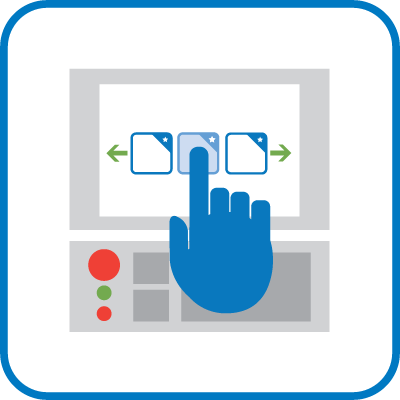
The OSP Widget Manager application allows many THINC apps to be rapidly accessed and concurrently visible while using the OSP control in windowed mode on a 19" display. Scroll through open applications with smartphone-like familiarity, and have important information and functions at your fingertips.
When Okuma first came out with the large format 19-inch touch panel displays, it got our engineers thinking: How can we make the best use of this additional space? It is nice to have a view of the desktop for quick access to shortcuts, but what about running applications?
Okuma Widget Manager™ was designed to give the user a quick and natural interface to scroll through multiple running apps.
Updated: 10/16/2014
Size: 107,797
Certification: Okuma Certified
COMPATIBILITY
Although this software is intended solely for use on Okuma machines, with the large format 19-inch touch panels, it will also run on any Windows PC with a horizontal screen resolution of 1280 pixels or greater.
.NET 4.0 required
ABOUT THE DEVELOPER
- Company: Okuma America Corporation
- Phone: 704-588-7000
- Email: api@okuma.com
Part Flip Monitor
Checks the chuck clamp status to be sure the operator has opened/closed the chuck before cycle start is pressed for Op20 of the part flip program.
- Works for Lathes (main spindle only) and Machining centers.
- Clearly show from distance the machine status: first side running, part flip needed or part completed. Useful if the operator runs more than one machine.
- Choose between two operating modes: operator confirmation by pressing a button or automatically sensing the part unclamp/clamp.
- If the turret is not at the limits, the cycle start will be disabled.
- For Machining Centers, the operating mode is by operator confirmation only.
- The program block that identifies the part flip can be specified in three ways: first M00 in the program, M00 and a comment or by a sequence number.
- No changes in the part program are required.
Updated: 04/17/2015
Size: 83,457 KB
Certification: Okuma Certified
COMPATIBILITY
- Operating Systems: Win XP 32-bit SP3, Win 7 32-bit, Win 7 32-bit SP1, Win 7 64-bit, Win 7 64-bit SP1
- THINC API Versions: 1.12.0, 1.12.1, 1.15.0, 1.16.0, 1.17.1, 1.17.2
- Dot NET Versions: 4.0 Client, 4.0 Full, 4.5, 4.5.1, 4.5.2
- OSP Control Types (including H and R type controls): P200, P200A, P300, P300S
- Machine Types: Lathe, NC-Master Lathe, Machining Center, NC-Master Machining Center
- Required License Features: None
ABOUT THE DEVELOPER
- Company: Okuma America Corporation
- Phone: 704-588-7000
- Email: api@okuma.com

Renishaw Set and Inspect
Renishaw's Set and Inspect is a simple, intuitive, on-machine probing app for customers who require an easy-to-use probing solution. Integrated help allows users to easily create probing routines, whether they are manually run, single cycles or fully automated probing programs.
So easy to use that only minimal user training and product documentation is necessary, users can get up and running immediately, making the app perfect for those who have little to no probing experience or machine code knowledge. The user simply selects a probing cycle from the menu and completes the user input fields. The app does the rest, automatically generating the required machine code for the probing cycle and loading it to the control, significantly reducing data entry errors and programming times.
Dynamic representation of menus and probing cycles, based on selected machine type, means that a single app can be used across a wide range of machine tools and CNC controls while ensuring that it remains easy to use.
Renishaw's Set and Inspect is an innovative machine tool app that supports part setting, part inspection, contact and non-contact tool setting cycles. The app is perfect for users with no probing experience, or for existing probe users who want to simplify and revitalize their current probing system.
Updated: 11/16/2017
Size: 130,904 KB
Functionality: Measurement/Gauging
Certification: Okuma Certified
COMPATIBILITY
The downloadable app is for PC-based evaluation only.
The machine-based app (available from Renishaw or Okuma), Renishaw part number A-5999-1400, must meet the following machine requirements:
- Operating Systems: Windows 7, 8, and 10
- THINC API Version: 1.12.0.0 or later
- .NET Framework Version: 4.0 /client or later
- OSP Control Types: P200 or later
- Machine Types: All machine types (except grinders), including PC (demo mode)
- Required Items: purchase of Renishaw hardware and macro-based software for CNC controller installations. No macro software is required for PC based installations
ABOUT THE DEVELOPER
- Company: Renishaw plc
- Phone: 905-828-0104
- Email: clinton.christian@renishaw.com

Sandvik Drilling & Tapping Calculator
Designed to support engineers, programmers, and machinists when working with drilling and tapping tools.
The Drilling Calculator from Sandvik Coromant is designed to support engineers, programmers, and machinists when working with drilling, tapping, and reaming tools. This includes machining calculations, cost calculations, hole size for tapping, drill selection for reaming, and ISO bore/shaft tolerances.
- The calculator includes a material database for calculating Kc values, power, torque etc.
- Calculates estimated cutting data if not all input values are known and accurate cutting data if all input values are known and entered.
Updated: 09/09/2014
Size: 80,893 KB
Functionality: Tooling
Certification: Certified in Queue
COMPATIBILITY
The application has been tested on Windows XP/7 and 8 with and without a preinstallation of .NET 4.0 installed.
ABOUT THE DEVELOPER
- Company: Sandvik Coromant
- Phone: 800-726-3845
- Email: app-support.coromant@sandvik.com
Sandvik Milling Calculator
Designed to support engineers, programmers, and machinists when working with milling tools.
The Milling Calculator from Sandvik Coromant is designed to support engineers, programmers, and machinists when working with milling tools. This includes machining calculations and cost calculations. You can also compare two different solutions to see the effect of changed cutting parameters.
- The calculator includes a material database for calculating Kc values, power, torque, etc.
- Calculates estimated cutting data if not all input values are known and accurate cutting data if all input values are known and entered.
Updated: 09/09/2014
Size: 79,333 KB
Functionality: Tooling
Certification: Certified in Queue
COMPATIBILITY
The application has been tested on Windows XP/7 and 8 with and without a preinstallation of .NET 4.0 installed.
ABOUT THE DEVELOPER
- Company: Sandvik Coromant
- Phone: 800-726-3845
- Email: app-support.coromant@sandvik.com
Sandvik Turning Calculator
Designed to support engineers, programmers, and machinists when working with turning tools.
The Turning Calculator from Sandvik Coromant is designed to support engineers, programmers, and machinists when working with turning tools. This includes machining calculations and cost calculations. You can also compare two different solutions to see the effect of changed cutting parameters.
- The calculator includes a material database for calculating Kc values, power, torque etc.
- Calculates estimated cutting data if not all input values are known and accurate cutting data if all input values are known and entered.
Updated: 09/09/2014
Size: 78,825 KB
Functionality: Tooling
Certification: Certified in Queue
COMPATIBILITY
.NET 4.0 Required
Compatible with the following machines: (Lathe) P100-II, (Lathe) P200, (Lathe) P300, Stand-alone PC
The application has been tested on Windows XP/7 and 8 with and without a preinstallation of .NET 4.0 installed.
ABOUT THE DEVELOPER
- Company: Sandvik Coromant
- Phone: 800-726-3845
- Email: app-support.coromant@sandvik.com

Scheduled Maintenance
Serves as a reminder for the operator to perform scheduled maintenance as well as a daily reminder for various service-related tasks.
The application shows a reminder of scheduled maintenance for specific machines where the application is installed. It gives users the opportunity to show a daily reminder of inspection tasks to perform prior to daily use of the machine.
Updated: 09/14/2021
Size: 76,740 KB
Functionality: Automation, Remote Alert
Certification: Okuma Certified
COMPATIBILITY
Minimum Requirements:
-
Operating Systems:
Win XP 32-bit SP3 or later
Other operating systems untested but may be compatible. -
THINC API Versions:
THINC API not required -
Dot NET Versions:
.NET Framework version 4.0 full or later -
OSP Control Types (R type supported):
P200 or later -
Machine Types:
Any (including PC) -
Required License Features:
None
ABOUT THE DEVELOPER
- Company: Okuma America Corporation
- Phone: 704-588-7000
- Email: api@okuma.com

SCOUT
The System Compatibility Output Utility is designed to quickly identify if your machine is compatible with App Store apps. It offers a detailed report of your system's configuration and a list of all available apps with their current compatibility status for your machine.
The primary purpose of SCOUT is to enable users to automatically determine what applications (available from the Okuma App Store) an Okuma machine is compatible with. All applications have certain system requirements; SCOUT takes the burden off the user to determine which apps are compatible. Additionally, SCOUT can be used just as a system information gathering tool.
Updated: 01/21/2019
Size: 3,611 KB
Certification: Okuma Certified
COMPATIBILITY
Operating Systems:
Windows® 2000 or later
.NET Versions:
SCOUT Command Line: No Requirement
SCOUT GUI .NET 2 version: ≥ .NET2, < .NET 4
SCOUT GUI .NET 4 version: ≥ .NET4
ABOUT THE DEVELOPER
- Company: Okuma America Corporation
- Phone: 704-588-7000
- Email: api@okuma.com

Screen Blocker
Paper is obsolete. Stop using it to cover the control screen when you don't want anyone messing with your machine! Save a tree and use Screen Blocker instead.
The Screen Blocker application was developed as a replacement for what service technicians and others have been using for decades. A piece of paper with a written message was traditionally used to cover the control screen and communicate why others should not touch the control and by whose authority. A piece of paper, however, is not very effective at preventing tampering by anyone who decides to ignore the message.
Screen Blocker is essentially a high-tech piece of paper. Its contents are highly customizable and may be saved and restored. Screen Blocker does more than merely cover the screen. It also prevents anyone from accessing the control screen by using password protection.
Updated: 09/18/2014
Size: 109,467 KB
Functionality: Security
Certification: Okuma Certified
COMPATIBILITY
System Requirements
Microsoft .NET Framework 4.0 is required to run Screen Blocker. It is capable of running on OSP P100 to P300 series controls. If the machine control is running Windows XP, a prerequisite to installing .NET 4 is that the Windows version has Service Pack 3 (SP3).
It might not be possible to upgrade the Windows Service Pack version in every instance. Please consult your nearest Okuma Distributor. If SP3 is currently installed on your Windows XP control, then .NET 4 may be installed without fear of harming the control.
Note that in order to install the .NET framework, Windows Installer 3.1 or later is required. It is bundled with the .NET installer and will be installed automatically if not present already.
ABOUT THE DEVELOPER
- Company: Okuma America Corporation
- Phone: 704-588-7000
- Email: api@okuma.com

Scytec MTConnect Data Viewer
The Scytec MTConnect Data Viewer provides a simple, real-time view of MTConnect data from an MTConnect Agent.
The Scytec MTConnect Data Viewer provides a simple, real-time view of MTConnect data from an MTConnect Agent. MTConnect can be used by application such as Scytec DataXchange to monitor machine utilization as well as feed rate overrides, alarms, along with a variety of other data points.
Updated: 10-26-2016
Size: 52,778 KB
Certification: Not Certified
COMPATIBILITY
In order to install this app on a machine, it must meet these requirements:
- Operating Systems: Win XP or later
- .NET Versions: 4.0 (included)
- THINC API: Not required
ABOUT THE DEVELOPER
- Company: Scytec Consulting Inc
- Phone: 720-482-8250
- Email: support@scytec.com
STEP-NC Machine
STEP-NC Machine® enables machining directly from a 3D model instead of the antiquated G-codes. It is new technology, but when fully deployed, you will no longer need a post-processor. And you will be able to get third parties, such as cutter vendors, to optimize your programs.
The G-codes defined by RS274D have been in place for over 50 years. They were ideal for a world of paper tape readers, but they could not be replaced until computer graphics became fast enough to simulate machining in real time. That day is here!
Using new standards, you can replace the G-codes with 3D models that show you what you are going to make – the product including the required geometry, dimensions, and tolerances; the process that is going to do the making – the tool paths, features and operations; and the solutions assumed by the process – the machine, the fixtures, and the cutters.
Why should I care? Well, if you are machining from models, then you can check and correct your programs in real time. With STEP-NC Machine® you can both measure the part and predict upcoming results. You can make test cuts, set 5-axis compensations, and evaluate how much material should be removed in the next pass by comparing the predicted results against the required tolerances.
The STEP-NC AP238 standard is the result of a 10-year international effort to replace the RS274D (ISO 6983) M and G code standard with a modern associative language that connects the CAD design data used to determine the machining requirements for an operation with the CAM process data that solves those requirements.
STEP-NC builds on the previous 10-year effort to develop the STEP neutral data standard for CAD data and uses the modern geometric constructs in that standard to define device independent tool paths and CAM independent volume removal features. STEP-NC allows manufacturing organizations to seamlessly share machining and measurement information between machines and over the Internet. The emerging STEP-NC technology is yielding process improvements including a 15% reduction in machining time and a 35% reduction in planning time. The automated measurement and compensation enabled by STEP-NC promises to yield parts that meet higher accuracy requirements for less cost. The integrated simulation and verification enabled by STEP-NC promises to guarantee that every part will be made correctly and that production will stop whenever cuts are about to be made that do not meet design requirements.
STEP-NC changes the way that manufacturing is done by defining data as "working steps" – a library of specific operations that might be performed on a CNC machine tool. In other words, it breaks down every machining operation into the steps required to perform the operation. In the past, CNC machine tools had to be programmed using G and M codes (from ISO 6983), which were instructions that only told the machine what moves to make, without any semantic content that referred to the part being processed. STEP-NC will make G and M codes obsolete.
With the concept of "working steps" in place, the manufacturing process becomes streamlined. Now, a machine tool can receive a file with STEP-NC data, "know" what it means, and proceed milling the piece without any more instructions. There will be no more programming the machine tool for each individual piece. Moreover, the benefit of the standard goes further. With a set of standard "working steps" in place, all manufacturers will be able to share information reliably and instantaneously. A STEP-NC converted CAD file that is completed on the east coast can be sent over the internet to a machine shop on the west coast and they can immediately start milling the part.
Updated: 02/19/2016
Size: 54,620 KB
Certification: Certified in Queue
COMPATIBILITY
- Operating Systems: Win XP 32-bit SP3, Win 7 32-bit SP1, Win 7 64-bit SP1
Other operating systems untested but may be compatible. - API Version: N/A
- .NET Versions: 4.0 Full, 4.5, 4.5.1, 4.5.2
- OSP Control Types (R type supported): Application is designed to be run on PC, but will run on the following control types:P200, P300, P300S
- Machine Types: Any
- Required License Features: N/A
ABOUT THE DEVELOPER
- Company: STEP Tools, Inc.
- Phone: 518-687-2848
- Email: info@steptools.com
View Control
This app allows the administrator to limit operator access to certain screens without the use of the “edit lock” key.
The Gosiger Okuma View Control application allows supervisors to block out certain parts of the control. Machine operators can be assigned different access to the control depending on their capabilities. The level of access can be set by anyone designated within the software as a supervisor.
Updated: 02/19/2016
Size: 57,575 KB
Functionality: Security
Certification: Okuma Certified
COMPATIBILITY
In order to install the Okuma View Control software on a machine, the machine must meet these requirements:
- Operating Systems: Win XP 32-bit SP3, Win 7 32-bit SP1
Other operating systems untested but may be compatible. - API Version: 1.9.1 or later
- .NET Versions: 4.0 or later
- OSP Control Types (R type supported): P100, P200
- Machine Types: All machine types supported (except for PC)
- Required License Features: N/A
- Other: Not compatible with S-type controls
ABOUT THE DEVELOPER
- Company: Gosiger
- Phone: 877-288-1538
- Email: mike.williams@gosiger.com

Visual Assistance Support
At any point in a part program or process, this app can instantly display helpful images for the operator. The images assist with machine setup, visual part inspection, and other functions. The machine programmer needs only set the value of a predetermined Common Variable from within a part program. The application monitors the Common Variable and displays a stored image corresponding to any new value that’s read - one image at a time. The display size and position of the image are saved for each use. The user defines any picture, its size and location, and assigns a number to it. By setting a defined user task variable to the corresponding number, the picture is automatically displayed.
The Variable Picture Application (VPA) provides the user with the ability to automatically display any picture, in .JPG format, on the user screen by setting a variable in the part program. The purpose is to allow the part programmer to provide helpful images to the operator while the program is running. The user simply associates a picture to a numerical value and, when the pre‐defined macro variable is set to that value, the picture is displayed. Only one picture at a time can be displayed. The program remembers both size and location of each picture so that each time the part program calls an image, it is in the same place and of the same size as the last time. This application is freeware and given to the THINC Developers Group to distribute as they see fit.
Updated: 10/10/2014
Size: 1,217 KB
Certification: Okuma Certified
COMPATIBILITY
P200 control or later, THINC API Version 1.9.1 or later; Lathe or Machining Center
ABOUT THE DEVELOPER
- Company: Caron Engineering
- Phone: 207-646-6071
- Email: marketing@caroneng.com
No apps found.